 flutterware
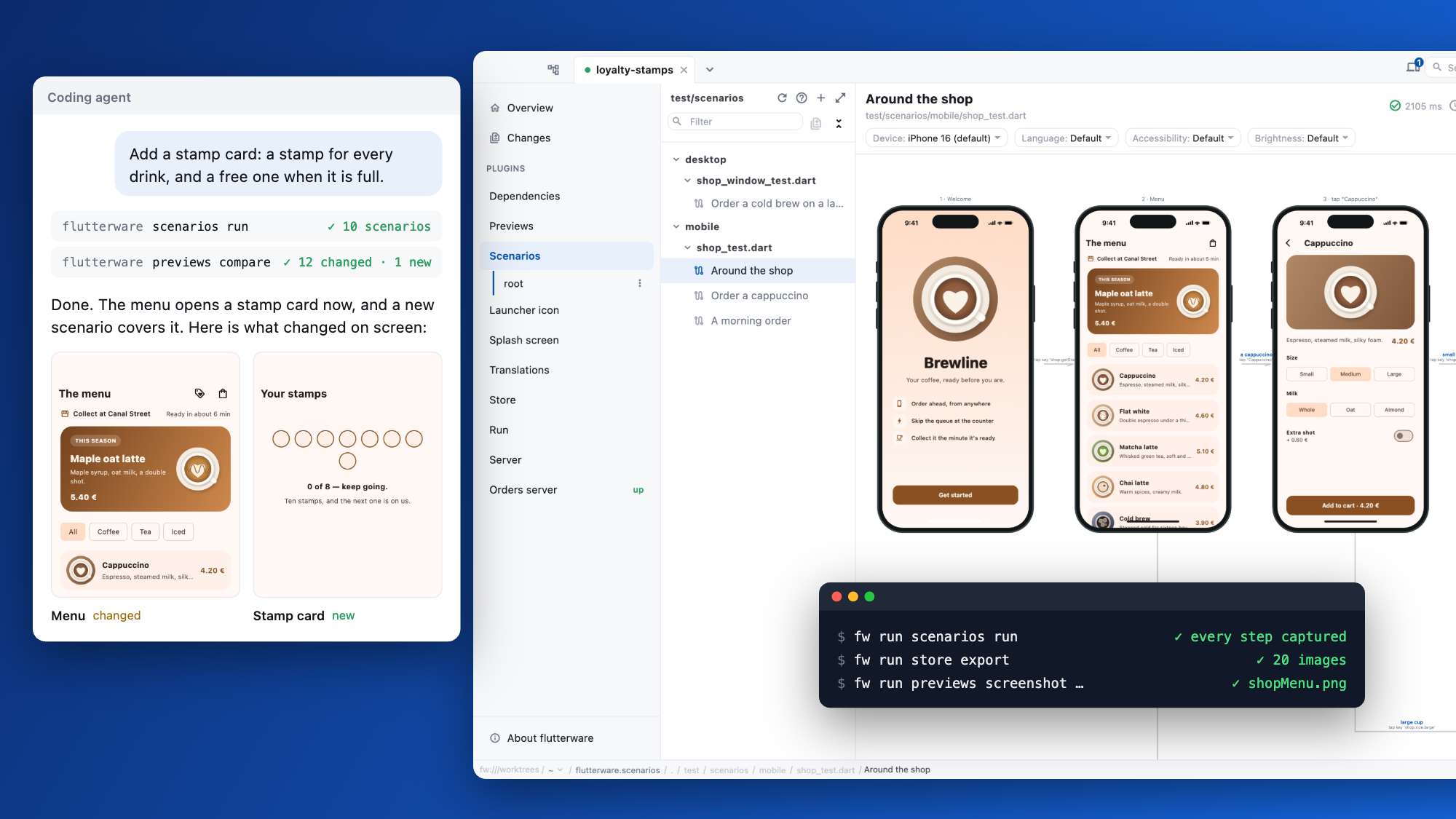
A desktop studio for your Flutter project, with the same tools for your coding agent.
Live previews, widget tests that picture every step, store screenshots, and your app on a device you can drive. All of it also runs from the terminal.
The demo is the studio itself, running in your browser on a small coffee-shop app. Nothing to install, and nothing in it can change.
dart pub add flutterware
dart run flutterware
The first launch builds the studio, so give it a minute.
What's in it
Each tool has a guide, and you turn on only the ones you want.
Previews
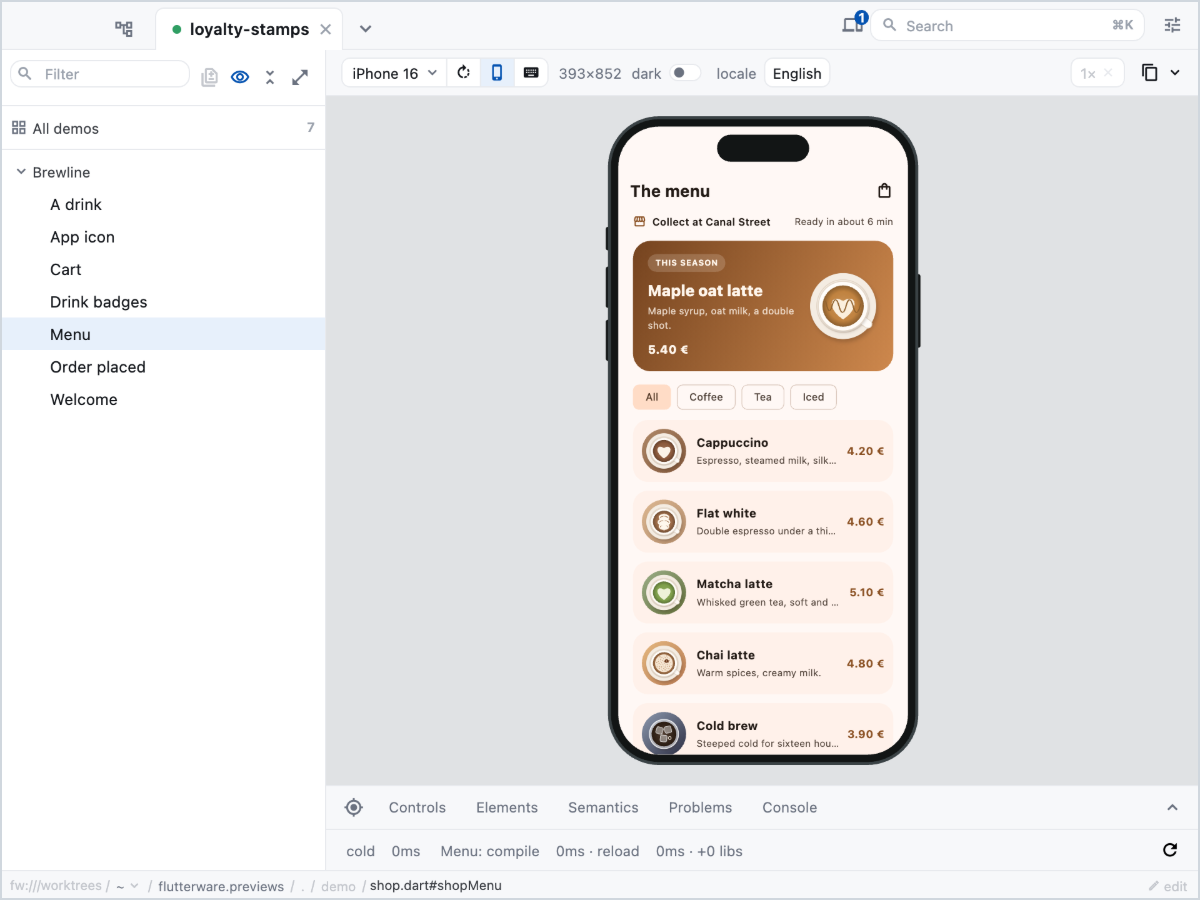
Your @Preview widgets on a device frame, in a live engine. Change the device, the language or the theme, turn knobs, read the widget tree.
Scenarios
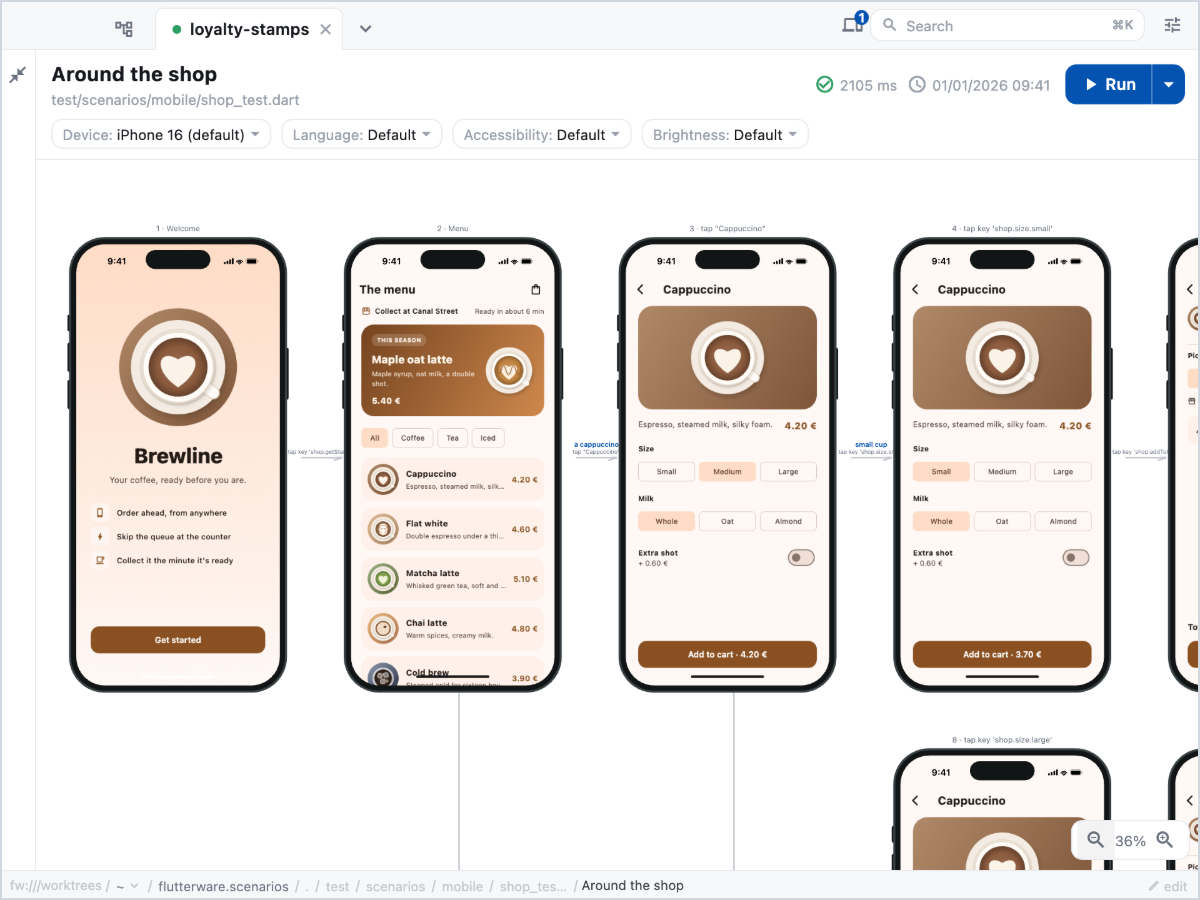
Widget tests that keep a screenshot, the widget tree and the visible text of every step. The studio draws each run as a flow.
Store screenshots
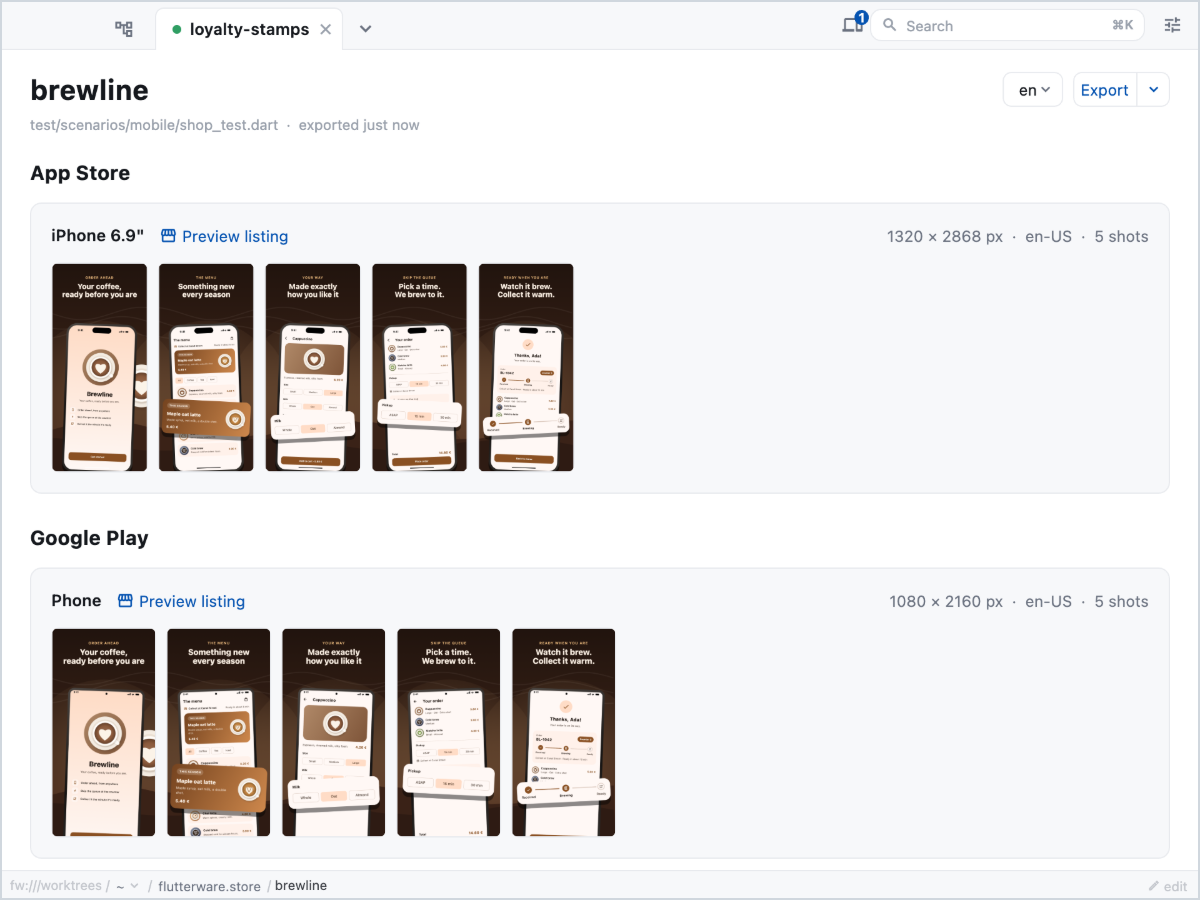
App Store and Google Play images made from your tests, for every language, at the sizes each store asks for. The frame is a widget you write.
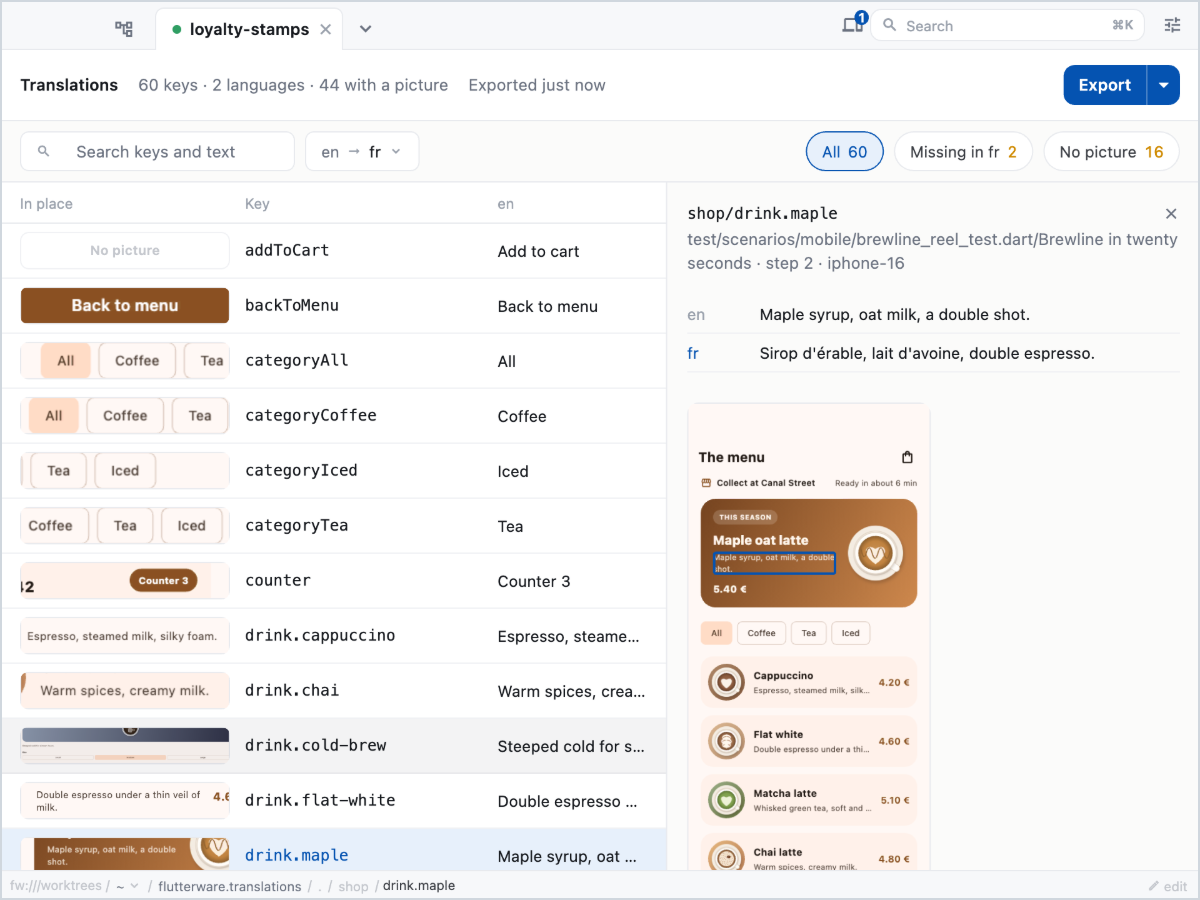
Translations
Every key in every language, next to a picture of where it appears. Missing and overlong strings are flagged.
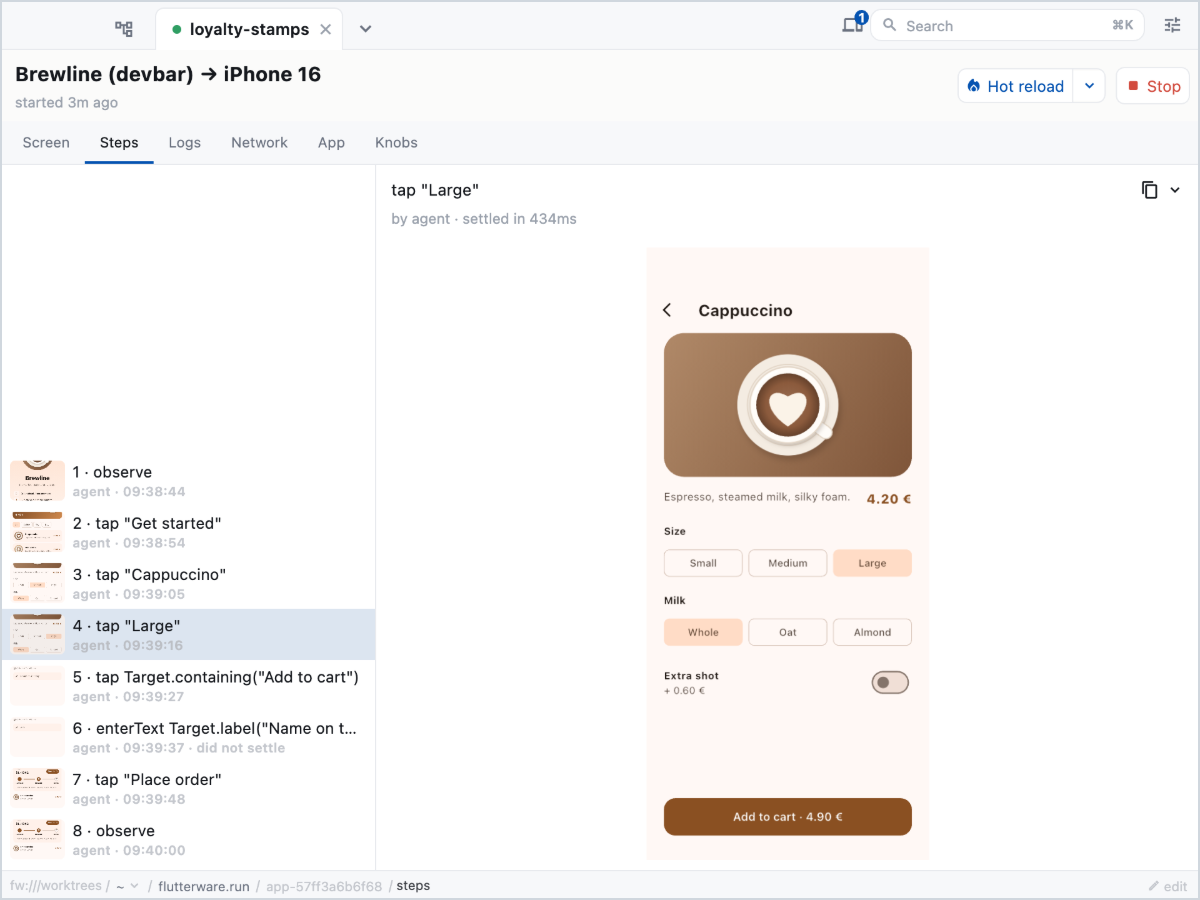
Run
Your app on a simulator, a phone or the desktop: its logs, network calls, widget tree and permissions, and every tap an agent made, step by step.
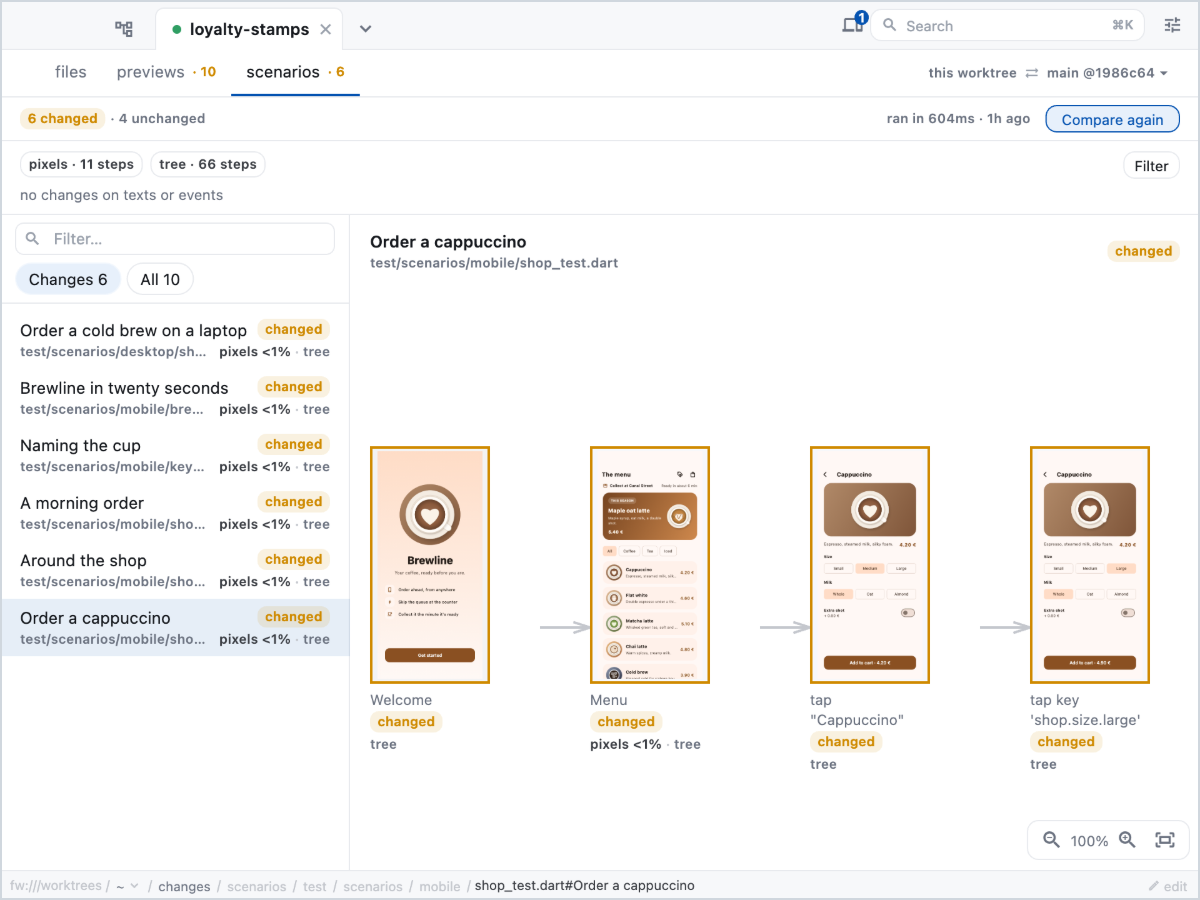
Comparison
What a branch changed on screen. fw compare renders both sides from git and exports a page to link from the pull request.
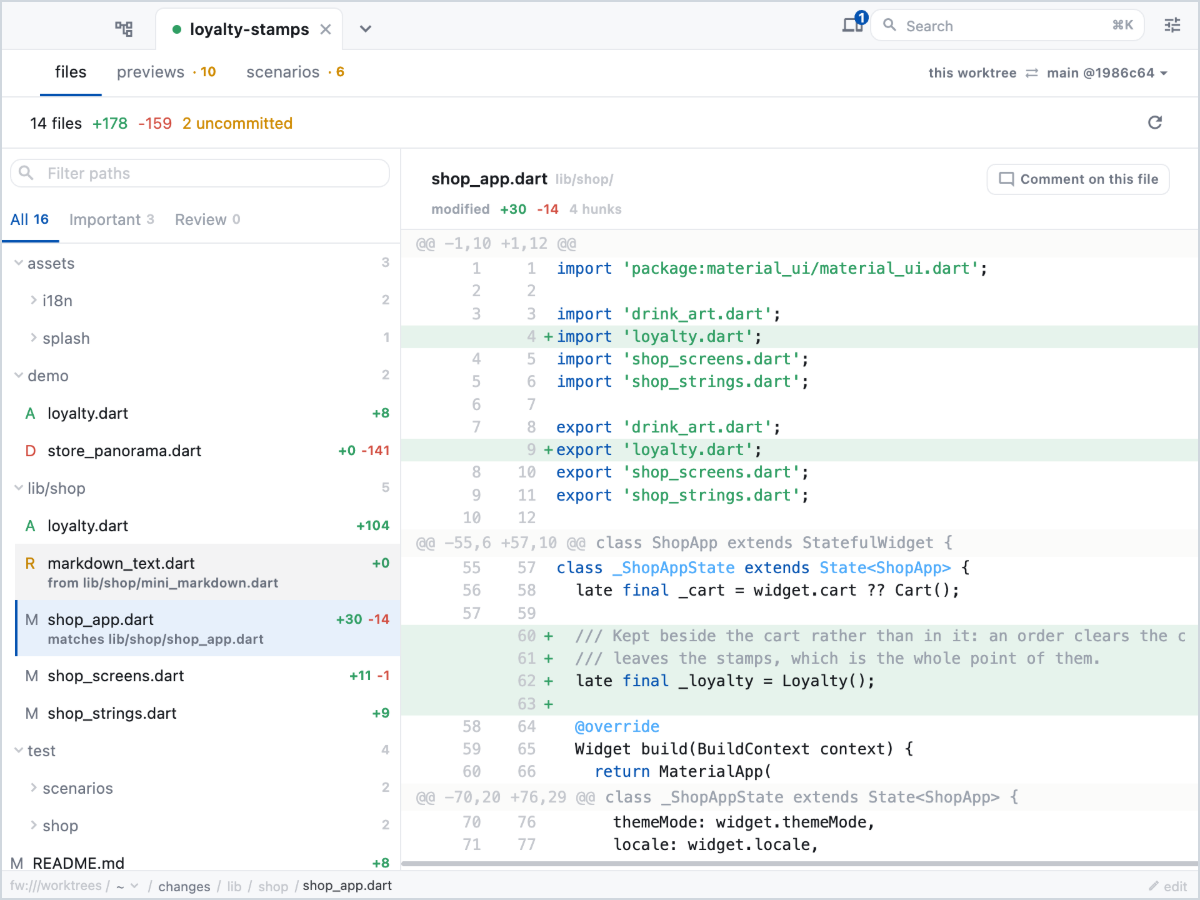
Changes
Your branch's diff with the files that matter listed first, and notes you can leave for your agent.
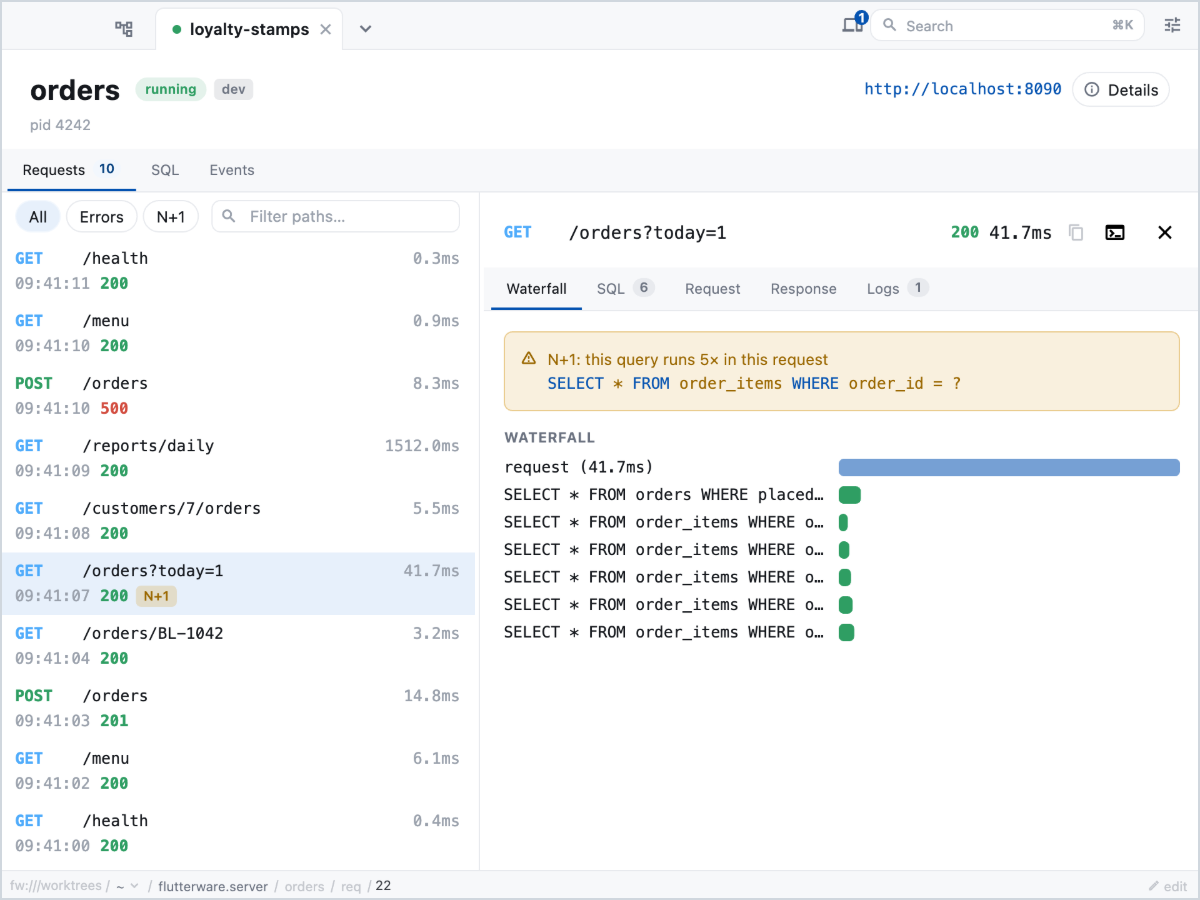
Server
The requests your Dart backend handles, the SQL each one ran, and N+1 queries flagged.
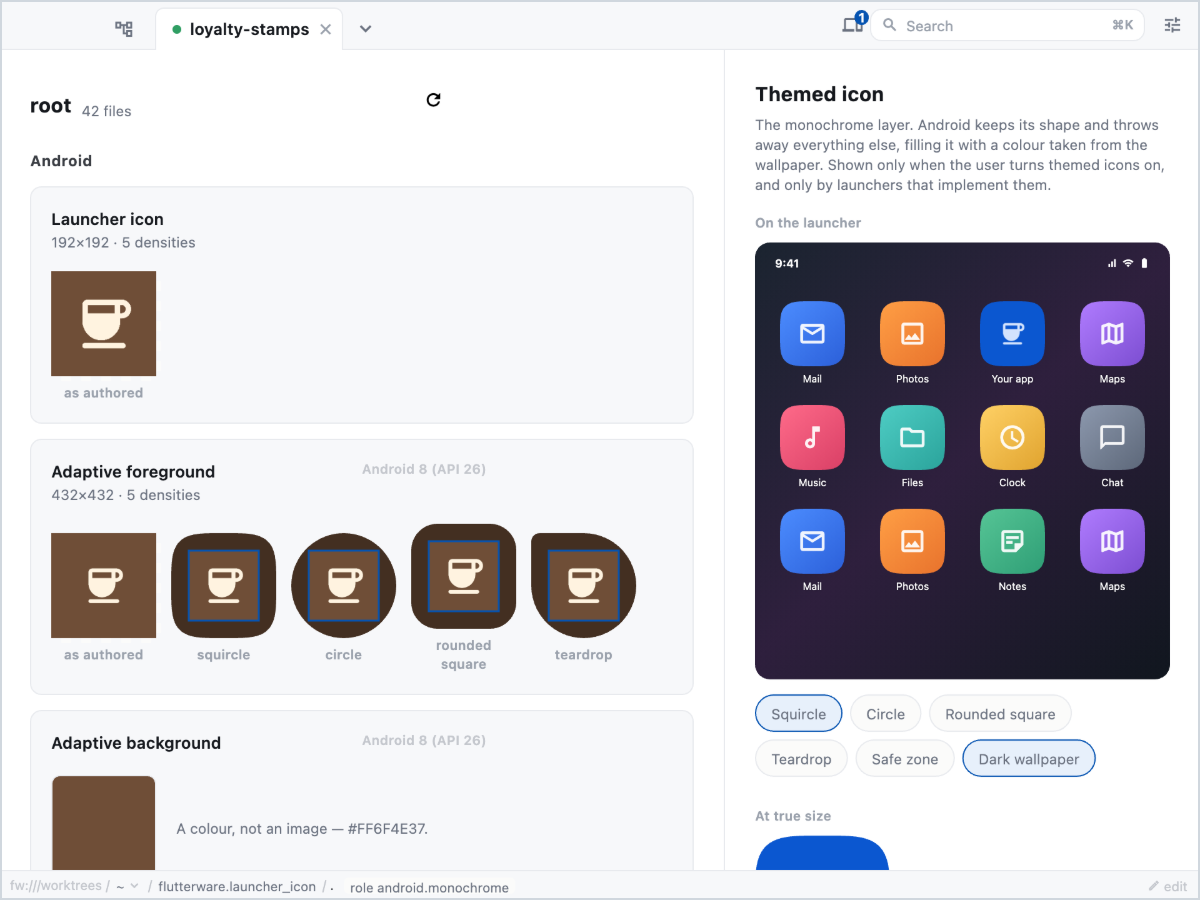
Launcher icon
Every app icon, as each platform will show it, and what's wrong with them.
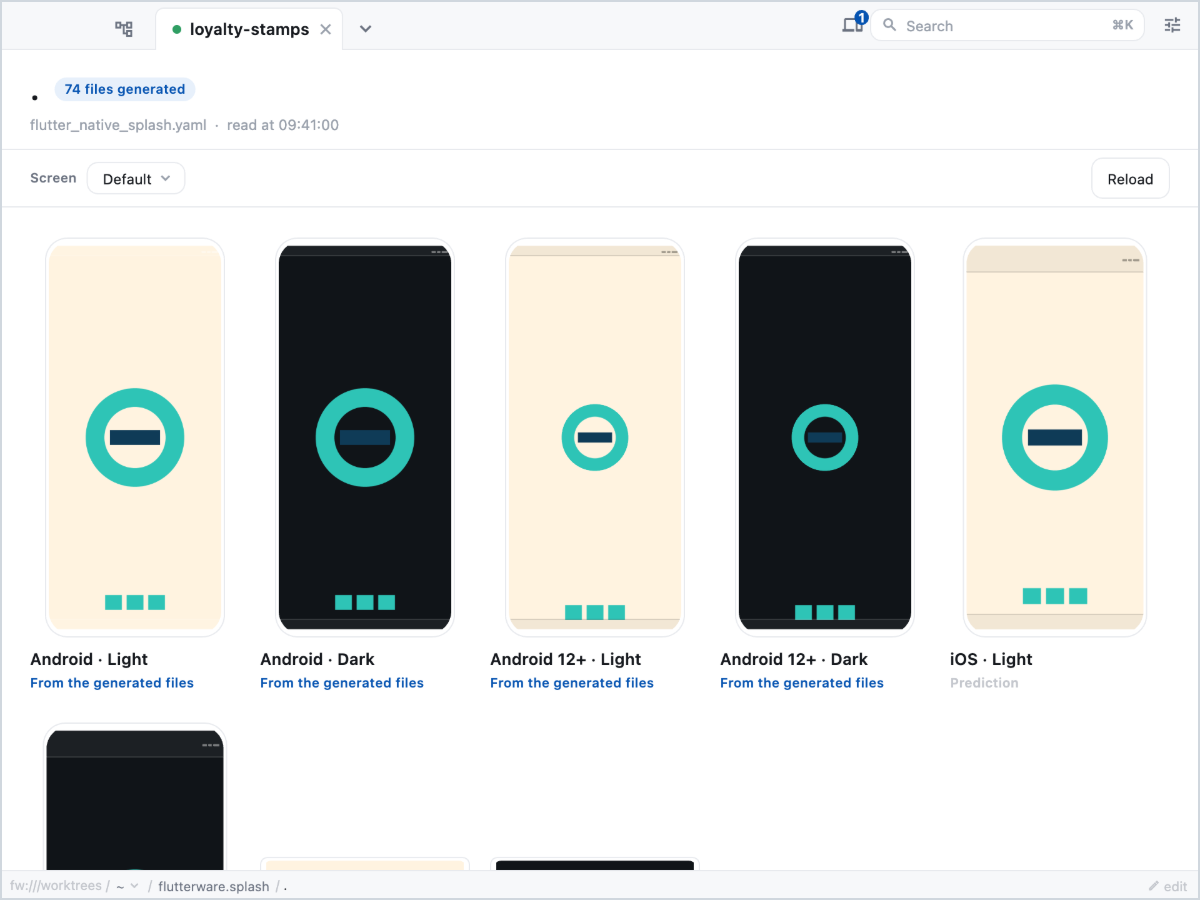
Splash screen
What each platform shows at launch, read from the generated files.
And the rest
- Dependencies
- Every package, the version pub picked, and which constraint asked for it.
- Assets
- What ends up in the bundle, how much it weighs, and which densities are missing.
- Lints
- Every rule your SDK knows, and whether your
analysis_options.yamluses it. - Dev stack
- Start and stop the services your app needs while you work.
- Database watch
- Your app's SQLite database, readable while the app runs.
- Scenes
- Animations drawn with your own widgets and theme, exported to video.
- Renders
- A widget as SVG, PNG or PDF, from a script or from a server.
Pick your tools in one Dart file
The first launch creates tool/flutterware.dart. Each line turns a tool on for a package.
It's a plain Dart file, so the analyzer checks it and your editor completes it.
For a monorepo, declare one Pkg per package and give each tool the ones it
applies to. The demo's config is
one app's; this repo's covers a workspace of several
packages.
import 'package:flutterware/plugins.dart';

const app = Pkg('.');

void main() => Flutterware.configure((fw) {
  fw.use(Previews(packages: [.new(app)]));
  fw.use(Scenarios(packages: [.new(app, languages: ['en', 'fr'])]));
  fw.use(Dependencies(packages: [.new(app)]));
  fw.use(Assets(packages: [.new(app)]));
});Write the test once. Get the rest from it.
A scenario is a widget test that keeps a screenshot, the widget tree and the visible text of every step.
flutter test runs it like any other test, and s.split replays the body once per branch, so one scenario covers every path through a screen.
- The flow, drawn step by step in the studio
- Store images for both stores, in every language
- Each translation, pictured where it appears
- What a branch changed on screen, as a page for the pull request
scenario('Around the shop', (s) async {
  await s.pumpWidget(const ShopApp());
  await s.tap(ShopKeys.getStarted);
  await s.split({
    'a cold brew': () async {
      await s.tap('Cold brew');
      await s.tap(ShopKeys.addToCart);
      await s.tap(ShopKeys.placeOrder);
    },
    'the empty cart': () async {
      await s.tap(ShopKeys.openCart);
    },
  });
});Your agent gets the same tools
The first launch adds an MCP server to your project's .mcp.json. Through it, an
agent can render a preview to check a layout, run your scenarios and read what
each screen showed, or launch the app on a simulator and tap through it, with
every step it takes shown in the studio as it happens.
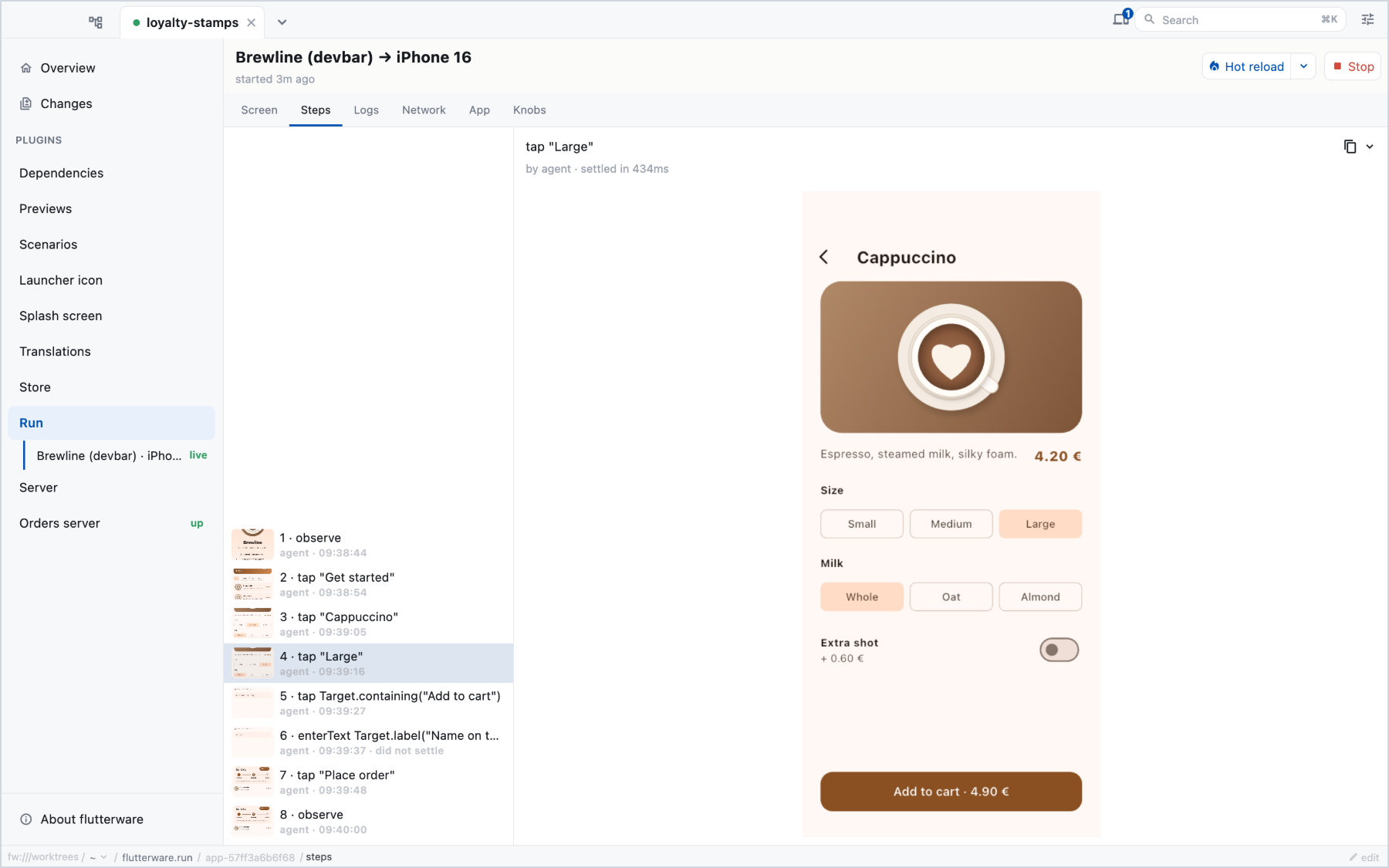
The studio
dart run flutterwareThe desktop app, opened on your project.
The command line
fw run scenarios run
fw run store export
Every action, from a terminal. fw is an alias for dart run flutterware.
MCP
flutterware_act {
  "verb": "tap",
  "target": "Cold brew"
}
The same actions as tools, and a running app an agent can drive.
Three ways in, one set of tools. Every action and option is listed in the capabilities reference.
Try it
-
Look around
The studio in your browser, opened on the demo app. The previews run live in the page, and every other tool shows what it found on a recorded run.
-
Run the sample
The coffee-shop app, with every tool turned on.
git clone https://github.com/flutterware/flutterware_example cd flutterware_example dart run flutterware -
Add it to your project
The first launch creates
tool/flutterware.dart, where you pick your tools.dart pub add flutterware dart run flutterware
The first launch builds the studio, so give it a minute. You need Flutter 3.47 or newer. Live previews are macOS only for now; the rest also runs on Linux and Windows.
Get in touch
If you use flutterware, are trying it out, or wonder whether it would fit your project, we'd love to hear from you. Questions, ideas, or something that got in your way: write to hello@flutterware.dev.